
How to Apply Discounts to Patient Payments
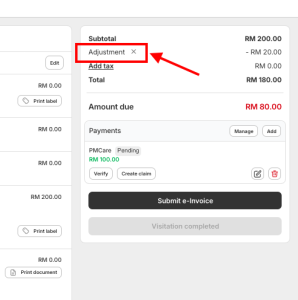
You can give discounts to your patients directly from the Billing page. This adjustment will reflect on the invoice and receipt.
⚠️ Important: Always enter the discount before recording the payment.
Steps to Apply a Discount
-
Go to the patient’s Billing page
-
Click Add Adjustment
-
Set the Adjustment Type and enter the discount amount
-
Example: Discount 10%, or RM50 off
-
-
Click Confirm
✅ The discount will automatically be applied to the invoice amount and shown on the final receipt.