
How to Set Your Company Details
Steps
-
Go to Clinic Management > Settings > Appointment
-
Enter your Company Name, Address, Registration Numbers & Bank Details
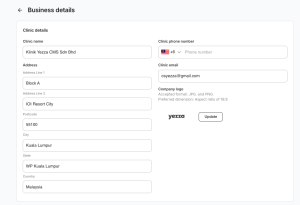
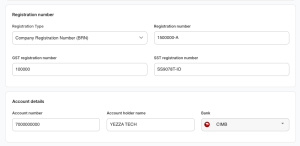
-
Upload your Company Logo
-
Click Save
✅ Once saved, these details will appear at your receipts, invoices and all letters.